# Create List

### How to create a List?

After logging into the ChainBot platform, go to your personal page, select "My Lists" -> "+ Add List".
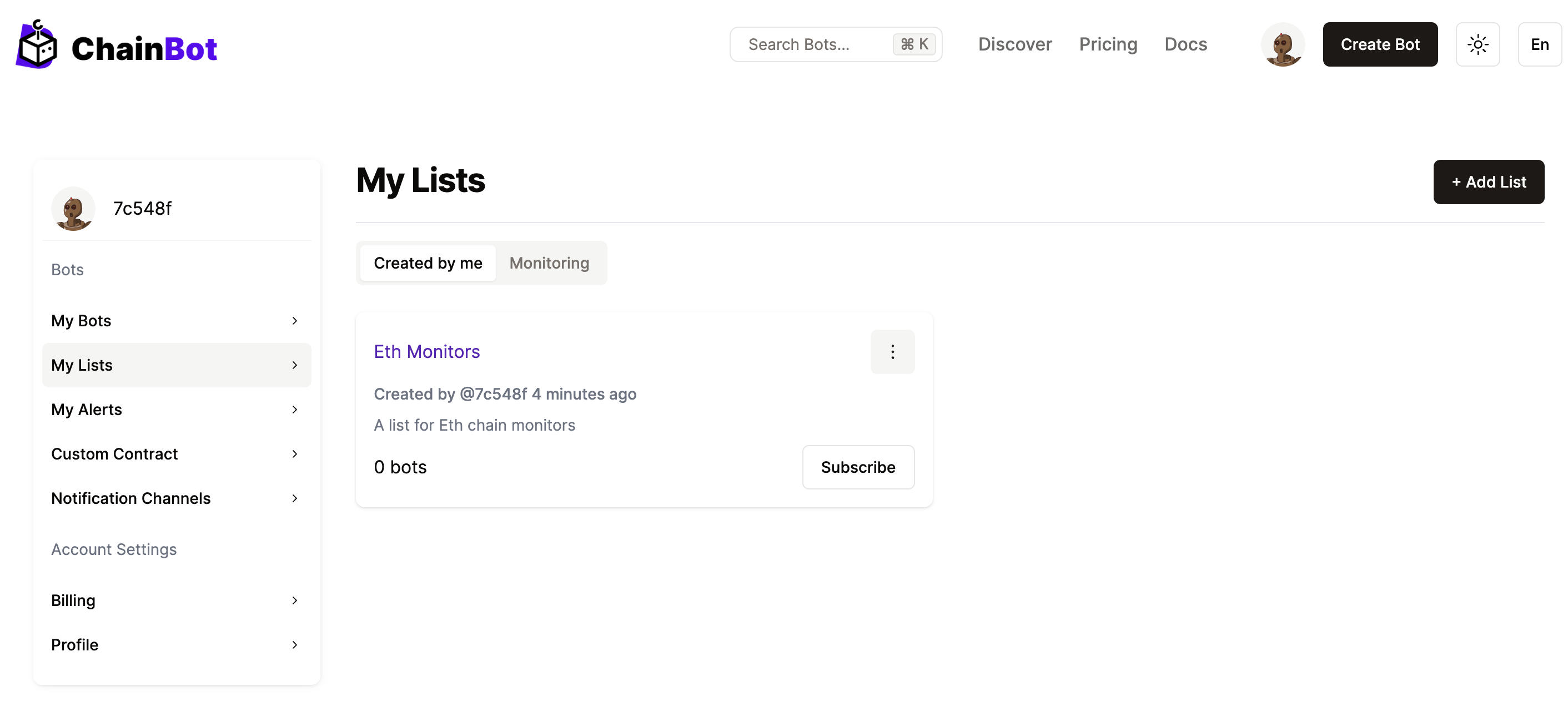
<div align="left" data-full-width="false"><figure><img src="https://3957434529-files.gitbook.io/~/files/v0/b/gitbook-x-prod.appspot.com/o/spaces%2Fytm2ftx9VGhS1jFp37FQ%2Fuploads%2Fgit-blob-4a35dfb692bbbe5e855cdab94d4a5cc1ab35e72d%2Fcreate-list-1.png?alt=media" alt=""><figcaption><p>Create a List</p></figcaption></figure></div>

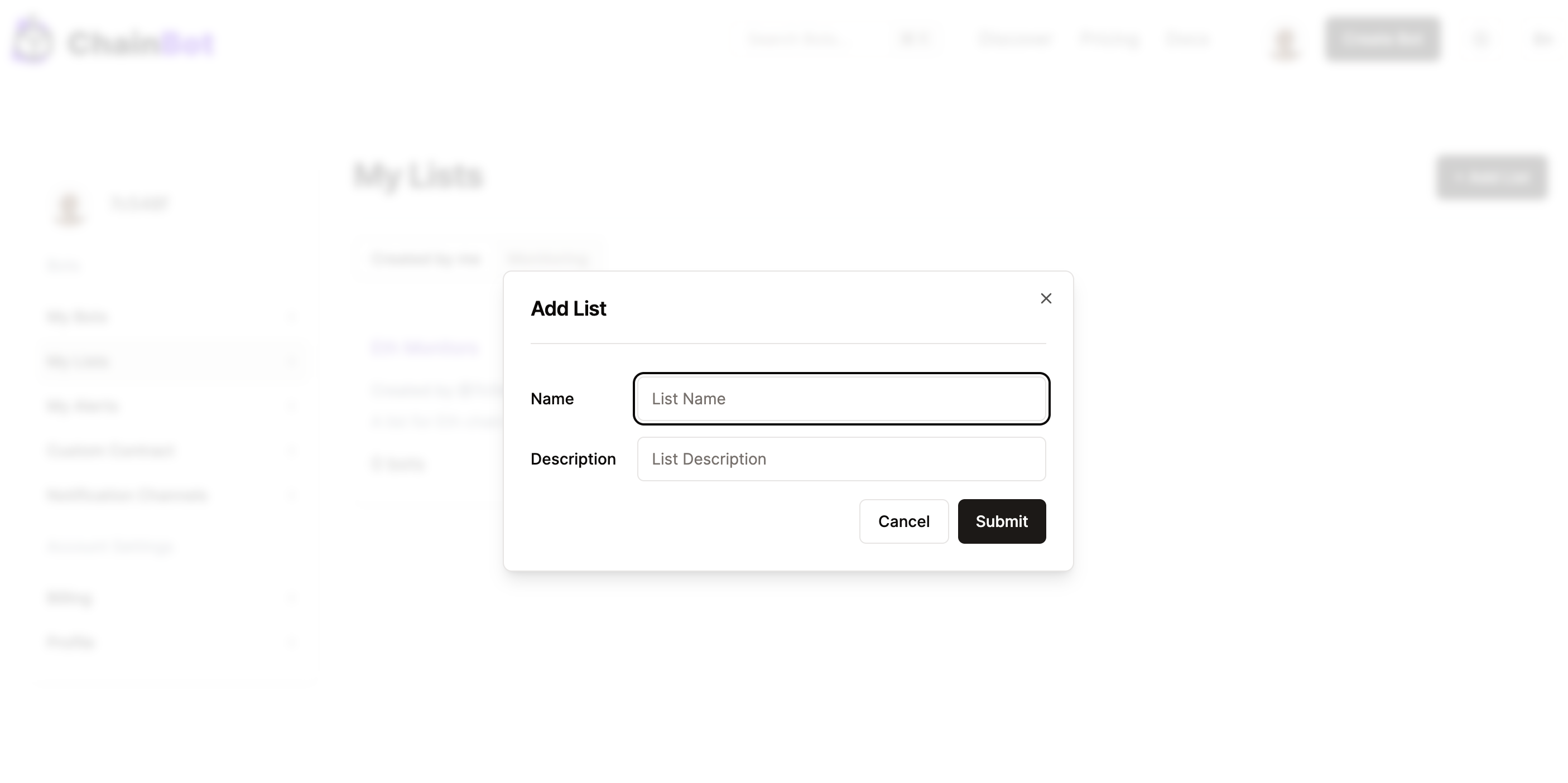
<figure><img src="https://3957434529-files.gitbook.io/~/files/v0/b/gitbook-x-prod.appspot.com/o/spaces%2Fytm2ftx9VGhS1jFp37FQ%2Fuploads%2Fgit-blob-356c2e63d6248954dea989fe72dc26f5497eef72%2Fcreate-list-2.png?alt=media" alt=""><figcaption><p>Create a List</p></figcaption></figure>

#### Information required when creating a List

<table><thead><tr><th width="187">Field Name</th><th>Description</th><th>Required</th></tr></thead><tbody><tr><td>Name</td><td>The name of the List</td><td>Yes</td></tr><tr><td>Description</td><td>A detailed description of the List</td><td>Yes</td></tr></tbody></table>
